Creating a Multi-Date Event (e.g. League)
A league is a structured competition in which players or teams compete in multiple matches over a set period, often lasting several weeks or months. Unlike an Event Series, a league is created as one single event with multiple dates. Players register once for the entire league and make one payment that covers all dates.
Leagues usually feature:
Regular matches (e.g., once per week on a set day)
Standings or rankings based on wins, losses, or points
A defined season length (e.g., 6–8 weeks)
Playoffs or finals at the end
Different formats such as singles, doubles, mixed, or skill-based
When you create a league in OpenCourt, you’ll use the multi-date event feature so all matches are scheduled under one event.
Step 1 — Start a New Event
In the left-hand menu, click Events & Programs.
Click New Event.
Enter your Event Name (e.g., Ladder League) and a Description.
Fill out the rest of the event details (capacity, pricing, etc.) as you would for any regular event.
Step 2 — Add Multiple Dates
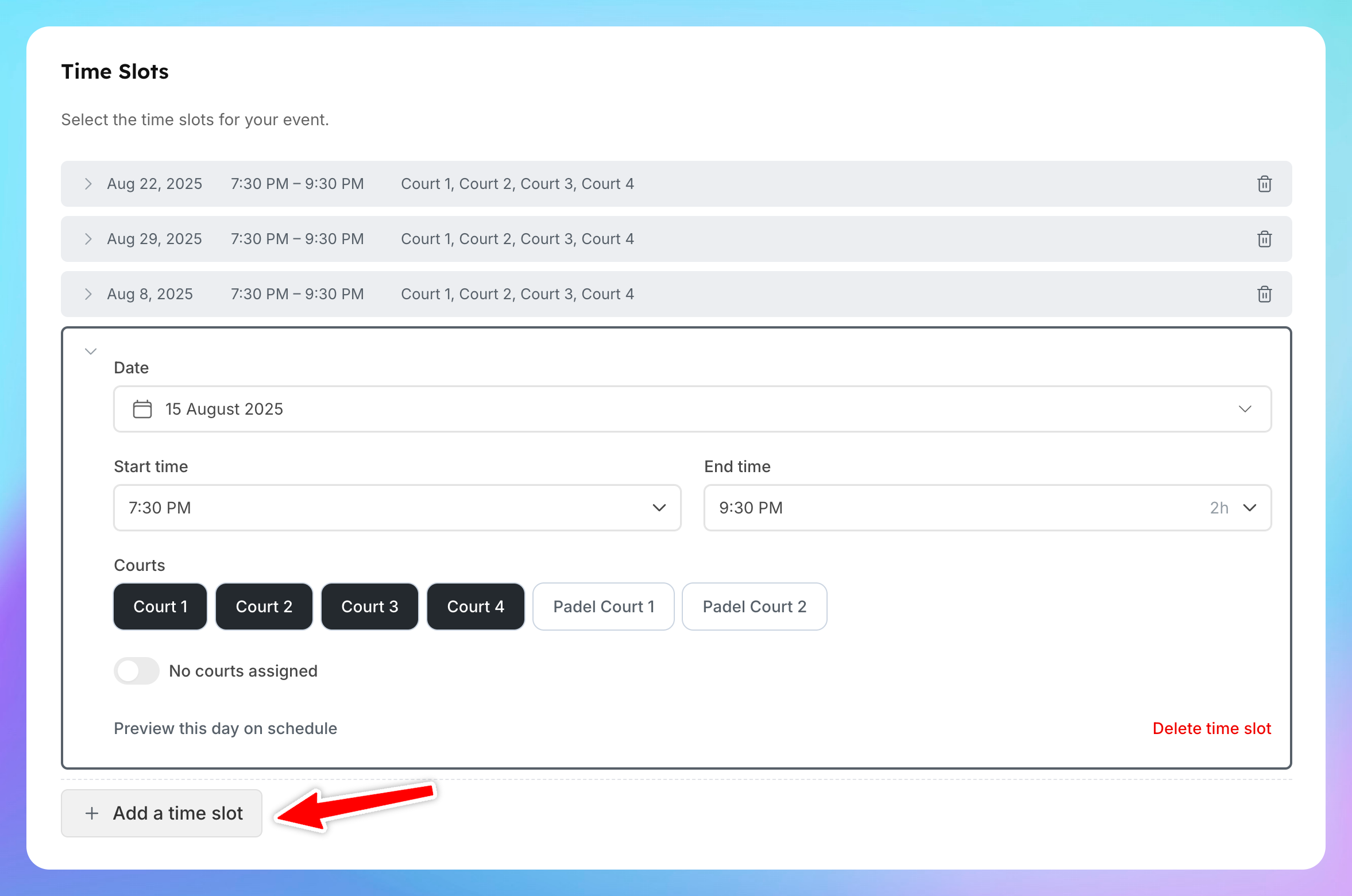
In the Time Slot section choose the day, time, and courts for the first match.
Example: Saturday, 7:30 PM – 9:30 PM, Courts 1–4.
Right under that block you’ll see Add Time Slot button. Click it to add the next date.
Repeat for every date in the league schedule — these can be at the same time each week or different days/times as needed.
Step 3 — Create the Event
Review all dates to ensure the schedule is correct.
Click Create Event.
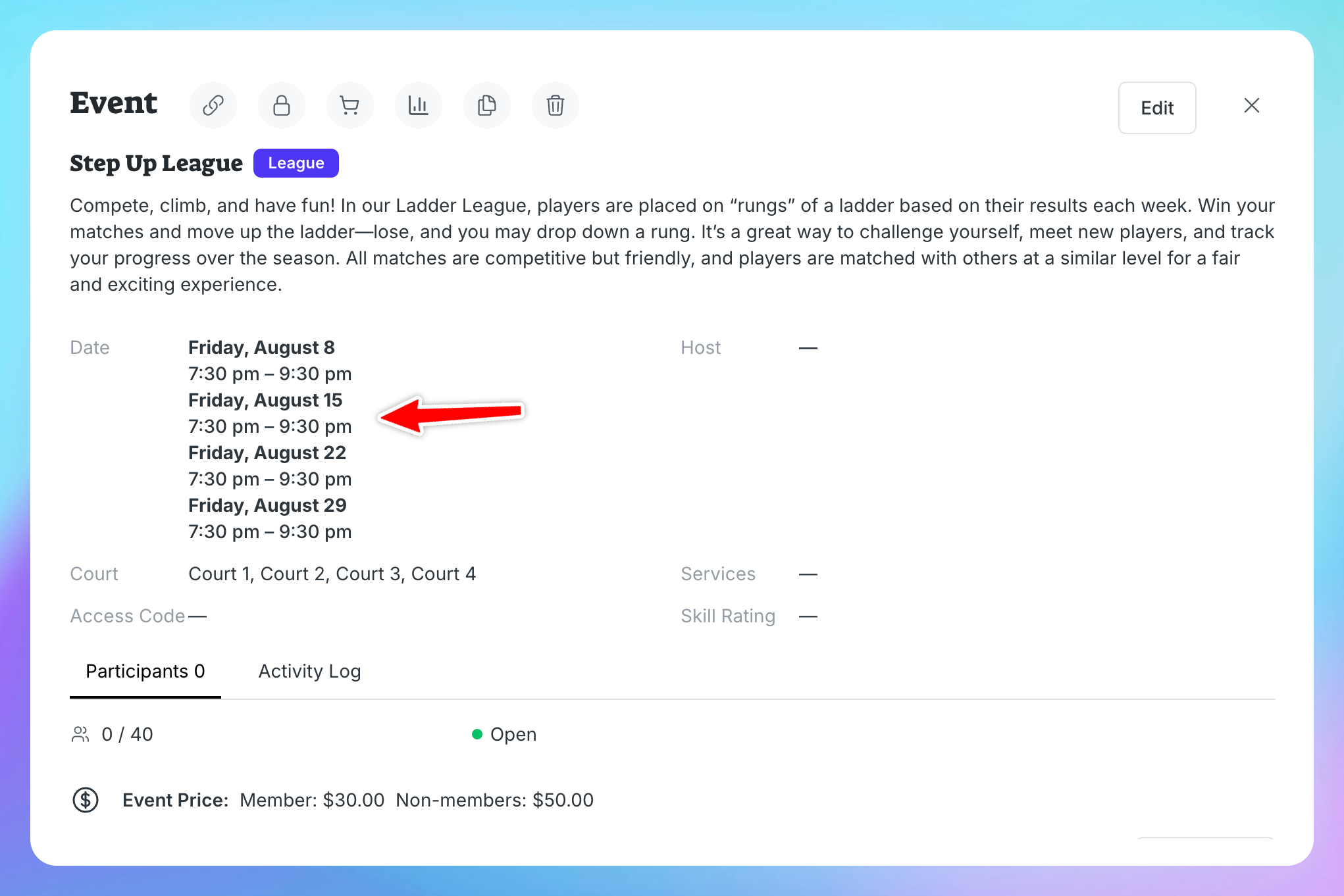
Your league will now show all scheduled matches under one event
Important
Participants who register for this multi-date event will be automatically enrolled in every match for the entire duration of the league.