DUPR Rating
DUPR (Dynamic Universal Pickleball Rating) is the global standard rating system for pickleball. When your DUPR account is connected to OpenCourt, your verified singles and doubles ratings appear on your profile, can be shown to other players in events, and may be required to register for skill-gated games.
Where to find it
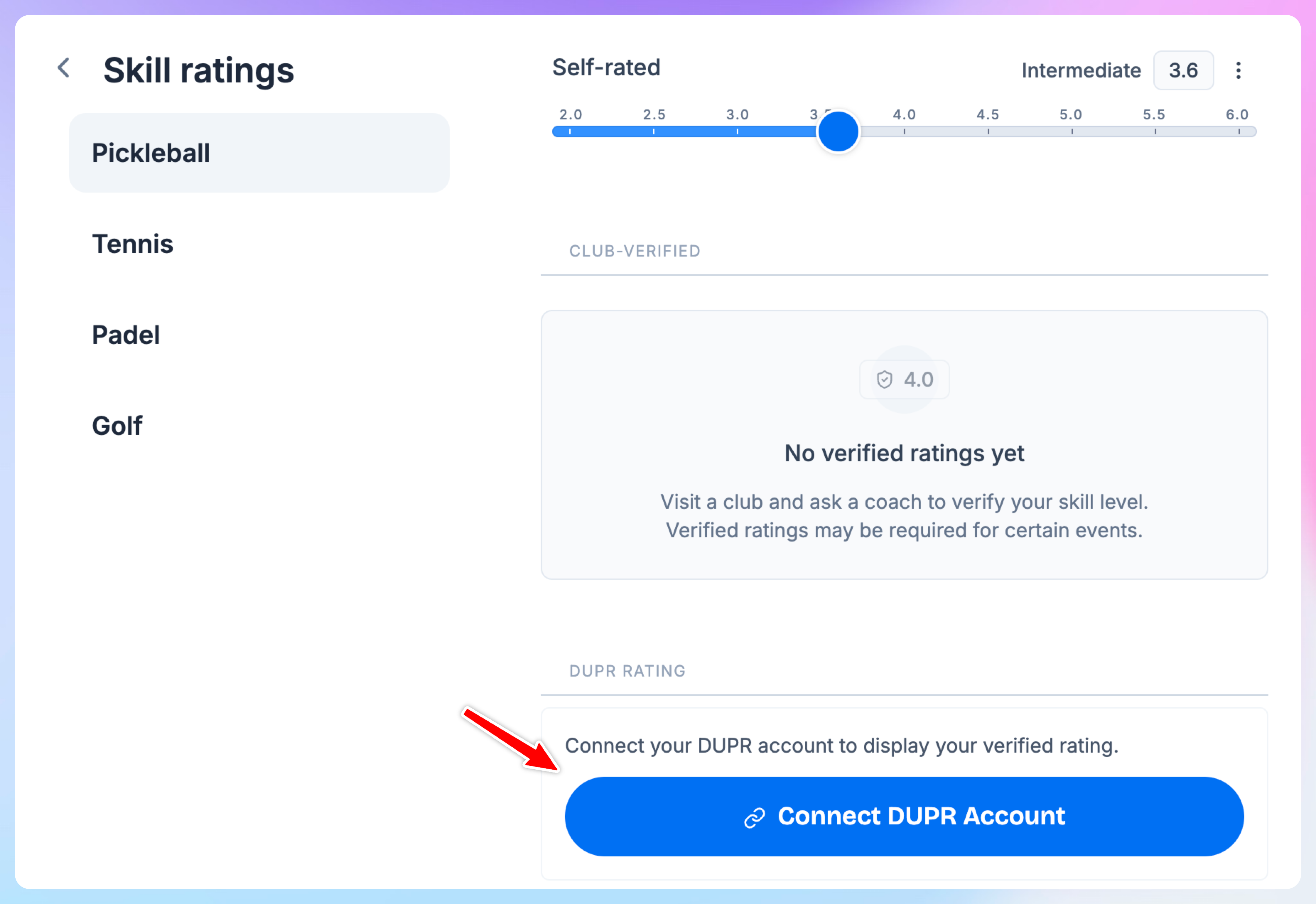
Go to My Profile → Skills → Pickleball tab. Scroll down to the DUPR Rating section.
Connecting your DUPR account
Tap Connect DUPR Account.
A DUPR sign-in window opens — log in with your DUPR credentials and grant access.
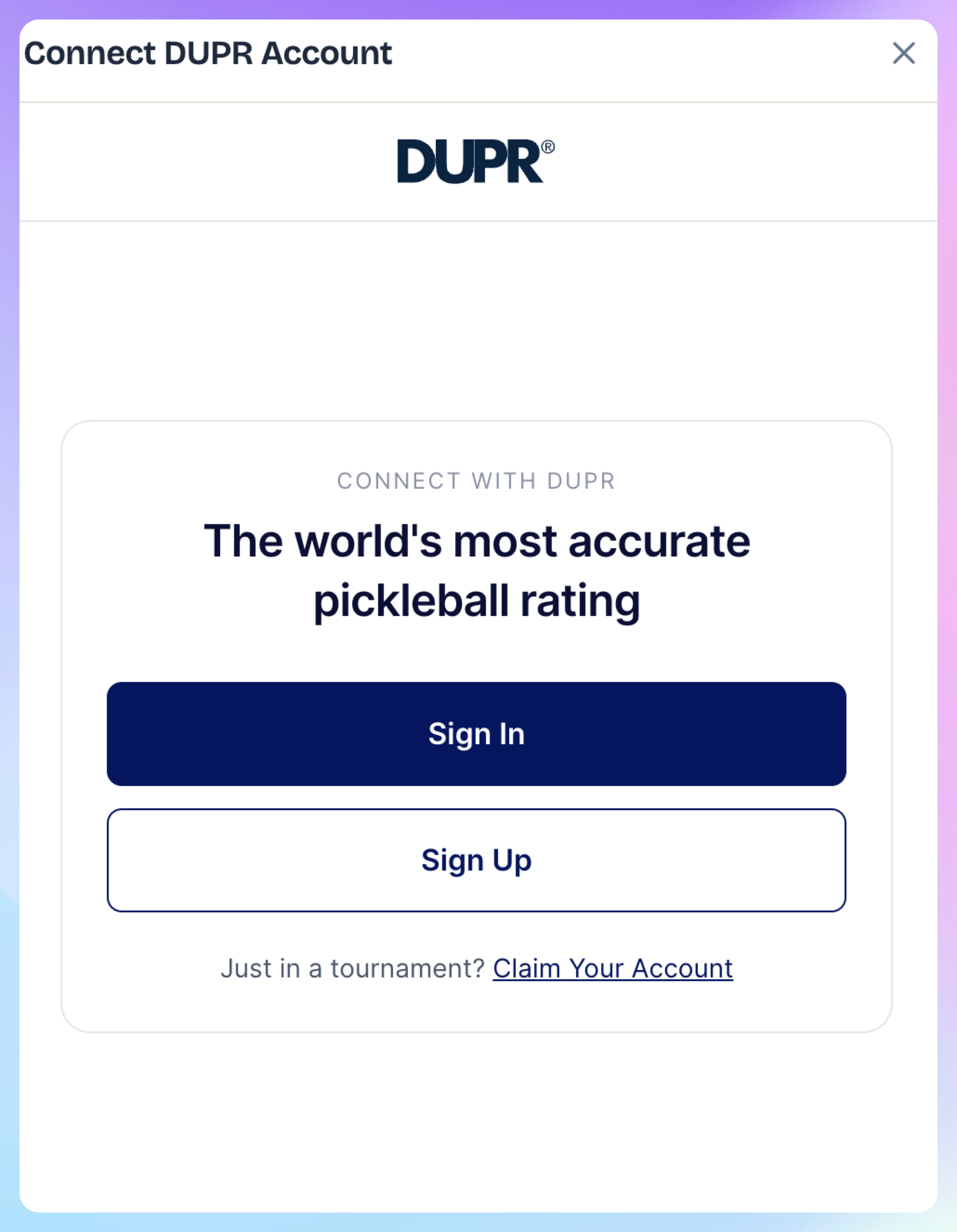
Once you approve, the window closes automatically and your ratings appear.
Your singles and doubles ratings are pulled directly from DUPR and displayed on your profile.
Don't have a DUPR account? Create one at mydupr.com before connecting.
What the badges mean
Once connected, you may see one or two badges next to your rating:
No badge is shown for a standard DUPR account — your ratings still display normally.
Keeping your rating up to date
OpenCourt refreshes your DUPR rating automatically every day. If you just played a tournament or match and want the latest number right away, tap the refresh icon (↻) next to your rating.
"DUPR account restricted" message
This means your DUPR account doesn't have an active subscription, which DUPR requires for third-party integrations. Log in to mydupr.com and check your subscription status. Once your DUPR subscription is active, reconnect your account.
Connection expired
If you see "Your DUPR connection has expired", tap Reconnect DUPR Account and sign in again. This happens when your DUPR credentials expire after 90 days.
Disconnecting
Tap the unlink icon (⛓️💥) next to your rating to remove the connection. Your self-rated and club-verified ratings are not affected.
DUPR-gated events
Club admins can restrict events to players whose DUPR rating falls within a specific range — for example, "DUPR singles 4.0–4.5 only." If your connected DUPR rating doesn't fall in that range, you won't be able to register. Make sure your account is connected and your rating is current before signing up for rated events.
Learn more about skill-gated events here.